The Best Video Editing Software for Documentaries
Avid, Premiere, Resolve, Final Cut — which editing software actually fits documentary work? A practical rundown for long-form, footage-heavy projects.
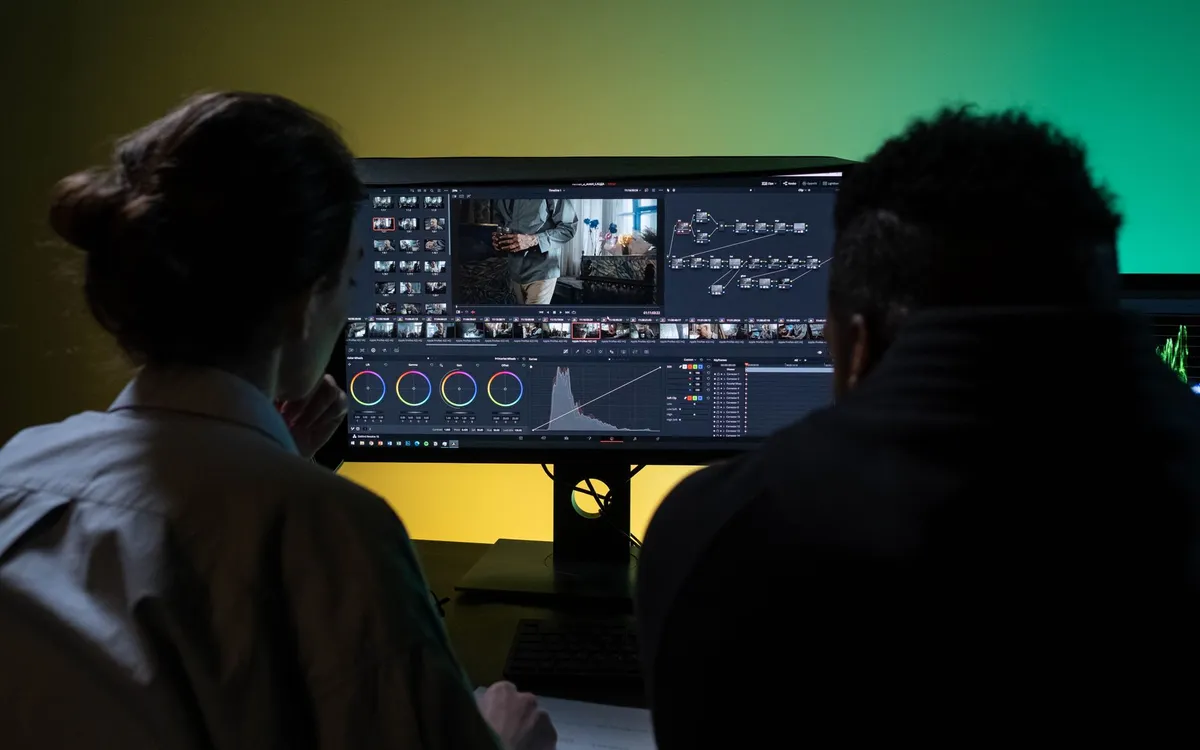
There’s no single best editing software for documentaries, which is an annoying thing to say in a headline that promises one. But the honest version is that the right choice depends on the shape of your project — how much footage, how big the team, who finishes the film, and whether you answer to a broadcaster. What follows is how the major tools actually behave once a documentary gets large.
Because that’s the thing people new to docs underestimate: editing a documentary is mostly an organization problem. You shoot far more than you’ll use, often without a script, and the cut is discovered in the edit. The software’s job is to keep a mountain of material findable and to survive a project that lives for months.
What documentary editing demands
Before the tools, the requirements. A documentary NLE needs to handle large bins and lots of metadata, search transcripts and notes quickly, stay stable across a project that might run a year, and hand off cleanly to color and sound. Flashy transitions matter almost not at all. If you’re choosing software, weigh it against those four things, not against a feature reel.
Avid Media Composer
Avid is the traditional home of long-form documentary, and it earns that for reasons that have nothing to do with looking modern. Its media management is built for scale — script-based editing, ScriptSync, robust bin organization, and a database that doesn’t fall over when you import thousands of clips. Broadcasters and post houses still expect Avid, so if your film is headed to television, delivering an Avid project removes friction.
The cost is the learning curve and an interface that feels like it’s from another era. For a first-time doc editor it can be forbidding. But editors who cut long-form for a living often stay in Avid precisely because it doesn’t crash under the weight.
Adobe Premiere Pro
Premiere is the generalist. It’s comfortable, widely known, and integrates with After Effects, Audition, and Photoshop, which matters when a doc needs animated maps, archival cleanup, or motion titles. Most freelancers know it, so staffing up is easy.
Its weakness is stability on very large projects — long docs with thousands of clips can get sluggish. It’s a fine choice for short and mid-length work and for teams already in the Adobe ecosystem. I compared it head-to-head with Resolve in DaVinci Resolve vs Premiere Pro for documentaries.
DaVinci Resolve
Resolve has gone from color tool to a serious all-in-one. For a solo editor or small team finishing their own film, the pitch is that editing, color, audio, and effects live in one application — no round-tripping. It’s free to start, with a one-time Studio license, which for an independent budget is a real argument.
Its color page is the best in the business, its Fairlight audio is a real mixing environment, and its database-backed projects feel sturdy under load. The editing isn’t quite as deep in muscle-memory as Avid or Premiere yet, but it’s close and improving fast.
Final Cut Pro
Final Cut, Apple-only, gets dismissed too quickly by people who never forgave the FCP X redesign. Its magnetic timeline is genuinely fast for assembling, its performance on Apple hardware is excellent, and its organization through keywords and smart collections suits documentary’s metadata-heavy reality well. The catch is collaboration and interchange: it’s less standard in broadcast pipelines, so handoffs can need extra steps.
Side by side
| Software | Best for | Watch out for |
|---|---|---|
| Avid Media Composer | Broadcast, long-form, big teams | Steep learning curve |
| Premiere Pro | Generalists, Adobe users | Stability on huge projects |
| DaVinci Resolve | Solo finish, color, tight budgets | Editorial depth still maturing |
| Final Cut Pro | Fast solo cutting on Mac | Interchange with other suites |
How to actually choose
Start with who finishes the film. If a separate colorist and sound mixer take over, your editorial tool just needs clean interchange — Avid or Premiere are safe. If you finish everything yourself, Resolve’s consolidation saves you money and friction.
Then weigh the team. Solo or two people: Resolve or Final Cut. A crew of editors and assistants sharing media: Avid’s collaboration and media management are still the gold standard, with Premiere a common second.
Finally, the delivery target. Headed to broadcast? Match what the broadcaster expects, usually Avid. Festival and self-distribution? You have a free hand.
Whatever you land on, remember the software is downstream of the real work. Get your transcription sorted, build a sane editing workflow, and don’t forget that the project ends not at picture lock but at a full deliverables list. The tool matters less than the habits around it.
The Best Video Editing Software for Documentaries
The editing, color and audio tools we use to finish films. Subscribing through our partner links supports independent coverage.
See editing softwareSome links on Indian Point Film are affiliate links: if you buy or subscribe through them we may earn a commission, at no extra cost to you. It never changes our recommendations.
Keep reading
Documentary Voiceover: How to Record Pro Narration
Broadcast-ready narration depends far less on gear than beginners assume. Decide whether you need voiceover at all, treat the room, direct the read, then hit a real loudness target.
Documentary Footage Backup: A Shoot-Ready Routine
Improvisation is where footage dies. Name your shoot type, commit to 3-2-1, verify every copy, and run a wrap routine you can execute half-asleep.
DaVinci Resolve vs Premiere Pro for Documentaries
One is free and grew up in the color suite. The other has thirty years of editorial habits baked in. For documentary, the choice is closer than people think.