Documentary Footage Backup: A Shoot-Ready Routine
A single dead card can end a documentary. Match your shoot to the right footage backup routine, verify every copy, and never lose a scene you can't reshoot.
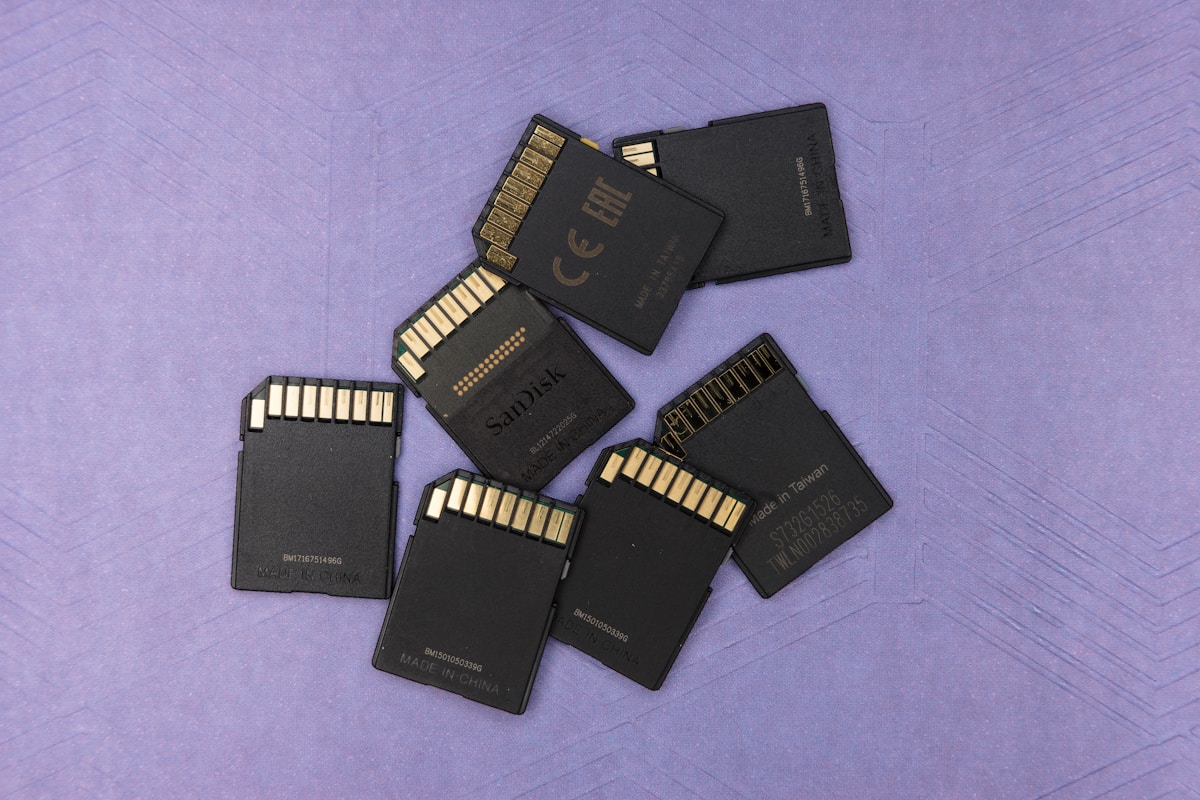
What happens to your film if the one card in your camera corrupts on the drive home from a shoot you cannot repeat? For documentary, that is not a hypothetical. Access is fragile, moments arrive once, and a single dead card can erase a scene you spent months earning. A disciplined documentary footage backup routine is the cheapest insurance you will ever buy, and the easiest to skip when you are exhausted at the end of a long day.
Why On-Set Backup Is the One Task You Never Improvise
Narrative crews can often reshoot. Documentary crews usually cannot. The funeral, the verdict, the reunion, the one afternoon a reluctant subject finally opened up on camera: none of that comes back if the media fails. That asymmetry is why data management sits at the center of documentary production rather than at its edges.
The real cost of losing footage is rarely the gear. It is the story, the trust of the people who let you film them, and the months of access you would have to rebuild from nothing. A corrupt card does not just cost you a scene. It can cost you a relationship with a subject who will never sit for that conversation twice.
Improvisation is where footage dies. The failure almost never looks dramatic. It looks like a tired shooter dragging a folder to a drive, seeing the copy finish, and formatting the card to free up space, without ever confirming the files actually landed intact. A routine you run the same way every single day, half-asleep, is what protects you from the version of yourself that cuts corners at midnight.
Match the Backup Routine to the Kind of Shoot You’re On
There is no single correct backup setup, because a solo shooter chasing a subject through a market has different constraints than a three-person crew on a scheduled sit-down. Start by naming the kind of shoot you are on, then build the routine that fits it.
Solo run-and-gun. You are moving fast, often alone, with no time to offload between setups. Your risk is physical: cards riding in a pocket, a bag left in a taxi, a laptop that never comes out. Here the priority is getting a second copy made the moment you are stationary, even if it is just a rugged bus-powered drive in your bag.
Small crew, scheduled days. You have a table, a few minutes between blocks, and maybe a dedicated person watching the cards. This is where you can run verified offloads during the day rather than saving everything for the wrap, and where a second drive should be filling in parallel.
Long or international shoots. You are away from home for days or weeks, accumulating footage you cannot afford to carry in a single bag. Distance is the danger. The offsite copy has to genuinely leave your side, whether that means a drive locked in a different case, a hotel safe, or an upload when bandwidth allows.
| Shoot type | Main risk | Minimum daily routine | Where the offsite copy lives |
|---|---|---|---|
| Solo run-and-gun | Loss or theft of gear | Second copy made as soon as you stop moving | Drive kept separate from the camera bag |
| Small crew, scheduled | Rushed formatting | Verified offload plus a parallel clone during the day | Second drive carried by a different person |
| Long or international | Everything in one bag | Two local copies, one uploaded or physically split off | Hotel safe, second case, or cloud when possible |
The 3-2-1 Rule, Translated for a Documentary Shoot
The backup principle most professionals lean on is old, simple, and worth memorizing. The 3-2-1 rule requires three copies of every card, stored on two different types of media, with one copy kept physically away from the others. It is a widely documented data backup strategy that predates digital cinema, and it maps cleanly onto a shoot day.
Three copies means the original card counts as one, and you make two more. Two media types means you do not trust two drives from the same box bought on the same day: pair a spinning drive with an SSD, or a local drive with a cloud upload, so a single defect cannot take both. One offsite copy means exactly what it says, that at least one copy sleeps somewhere the other two do not.
The step people skip is verification, and it is the step that actually saves films. A verified copy compares every byte of the destination against the source and confirms they match, rather than trusting that a progress bar reaching one hundred percent means the file is readable. Purpose-built offload tools do this automatically and produce a report you can keep. A plain drag-and-drop does not, which is why a copy is not a backup until something has checked it.
Treat the original card as a third copy, not as scratch space. Do not reformat a card on set until two verified copies exist elsewhere. That one habit removes the most common way documentary footage is lost: erasing the source to keep shooting, before anyone confirmed the backup was real.
Choosing Drives and Cards: The Criteria That Actually Matter
Gear choices for backup are less about brand loyalty and more about a short list of properties that decide whether your routine holds up in the field. When you are pricing storage into a shoot, weigh these criteria before you weigh the sticker.
- Capacity headroom. Buy more space than the shoot’s estimate, because interviews run long and B-roll multiplies. Running out of drive space mid-trip forces the exact panic-formatting you are trying to avoid.
- Sustained speed, not peak speed. A card or drive that verifies a full offload quickly keeps your wrap short. The advertised burst figure matters far less than the real, repeatable transfer rate.
- Redundancy over one big volume. Two separate drives beat a single large one, because a single drive is a single point of failure. Splitting copies across independent devices is the whole point.
- Ruggedness and power. For travel, a bus-powered SSD that survives a bag drop earns its price. Fewer cables and no wall power means the copy actually gets made in a cramped hotel room.
- A labeling and logging habit. Name drives and cards so you can tell at a glance what is backed up and what is not. A simple shoot log of card numbers and their status prevents the “did we copy this one?” argument at 1 a.m.
The same discipline applies to cards. Many smaller cards spread your risk across more offloads but multiply the chances of misplacing one; fewer large cards simplify handling but put more footage on each point of failure. There is no universal answer, only the trade-off you choose on purpose. If you are assembling storage as part of a wider kit, it helps to fold drives and cards into the same budget conversation as your camera and sound, which is why planning a documentary gear kit that fits a real budget should treat backup media as a line item, not an afterthought. Dual-system sound adds a wrinkle worth naming here too: if you run a separate field recorder, that device holds a second card you must back up on the same schedule as the camera, so the guidance on choosing a dedicated audio recorder for documentary work doubles as a reminder that every card in the rig needs a home in the routine.
A Wrap-of-Day Routine You Can Run Tired
The best routine is the one you can execute when you are running on no sleep, because that is exactly when footage gets lost. Reduce it to an ordered checklist and run it the same way every night.
- Offload each card to your primary drive using a verified copy. Let the tool confirm the transfer before you touch anything else. Do not multitask this step.
- Clone the primary drive to a second drive. Two independent copies now exist beyond the original card. This is your redundancy, and it is not optional.
- Log every card. Note the card number, the shoot date, and that both copies verified. The log is your proof and your memory.
- Physically separate the offsite copy. Put the second drive in a different bag, a safe, or hand it to a crew member who travels separately. Distance is protection.
- Leave the original cards alone. Only reformat a card once two verified copies exist and you genuinely need the space. When in doubt, buy another card instead.
Naming the moment your rushes leave the set and enter post also protects the film. The verified primary drive is what your editor should receive, organized and labeled, so the material lands in a system rather than a pile. Getting that handoff clean is where a considered feature-length editing workflow starts to pay off, because an assistant editor inheriting well-logged, verified media can build a proper project instead of untangling a mystery. A backup routine and an edit routine are two halves of the same chain of custody.
What to Lock In Before Your Next Shoot Day
Everything above collapses into a handful of decisions you make once and repeat on every shoot:
- Name your shoot type first, then build the routine that its risk profile demands rather than copying a setup that fit a different job.
- Commit to the 3-2-1 rule: three copies, two media types, one kept offsite, with the original card counted as one of the three.
- Verify every copy, because a finished progress bar is not proof, and an unverified copy is not a backup.
- Never format a card on set until two verified copies exist and you actually need the space.
- Keep a card log and label your drives, so anyone on the crew can tell backed-up from not at a glance.
- Separate the offsite copy physically, and hand your editor a clean, verified drive so the footage flows into post without a scramble.
Pin those six rules somewhere you will see them on the next shoot day. They cost you twenty quiet minutes at wrap, and they are the difference between a film you finish and a scene you can only describe.
Documentary Footage Backup: A Shoot-Ready Routine
The editing, color and audio tools we use to finish films. Subscribing through our partner links supports independent coverage.
See editing softwareSome links on Indian Point Film are affiliate links: if you buy or subscribe through them we may earn a commission, at no extra cost to you. It never changes our recommendations.
Keep reading
Documentary Voiceover: How to Record Pro Narration
Broadcast-ready narration depends far less on gear than beginners assume. Decide whether you need voiceover at all, treat the room, direct the read, then hit a real loudness target.
DaVinci Resolve vs Premiere Pro for Documentaries
One is free and grew up in the color suite. The other has thirty years of editorial habits baked in. For documentary, the choice is closer than people think.
The Best Video Editing Software for Documentaries
Documentary editing is an organization problem before it's a creative one. The best software is the one that keeps a thousand hours of footage findable.